Make it readable.
Find and fix what a screen reader can’t read, on your computer.
Private alpha. Testers have a password.
Every reading, slide deck and handout in a course has to make sense read aloud.
Komprena at work on a sample paper
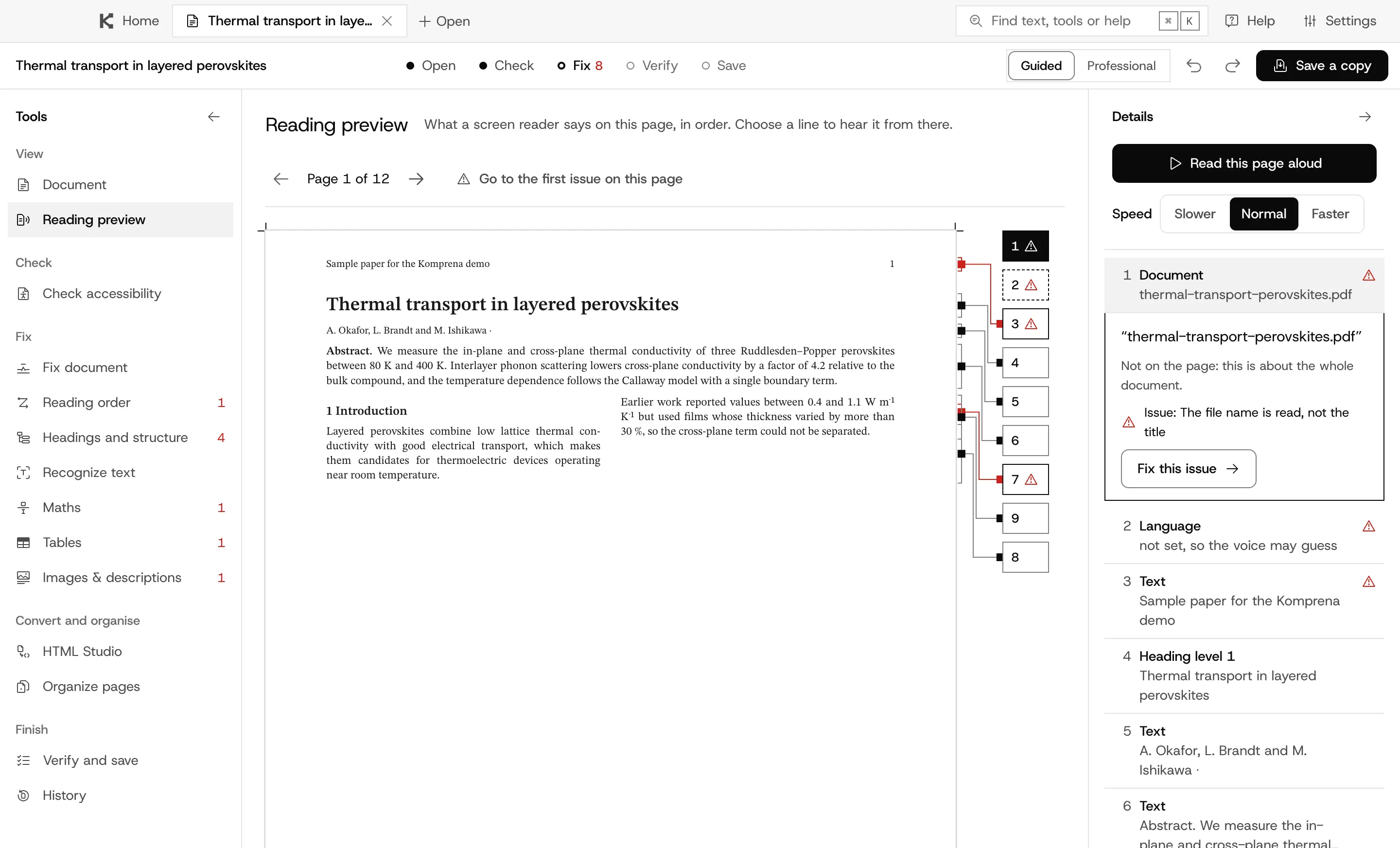
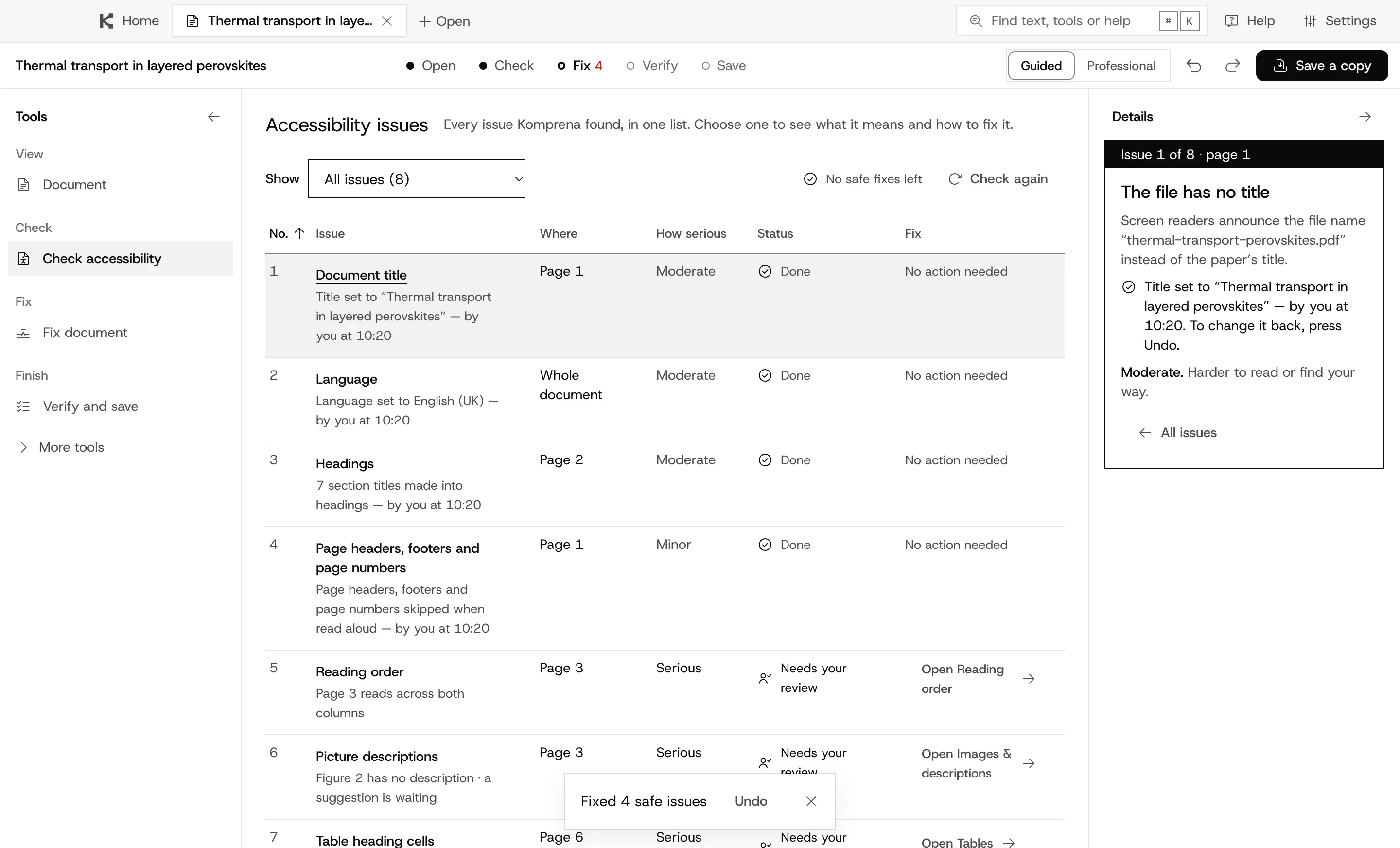
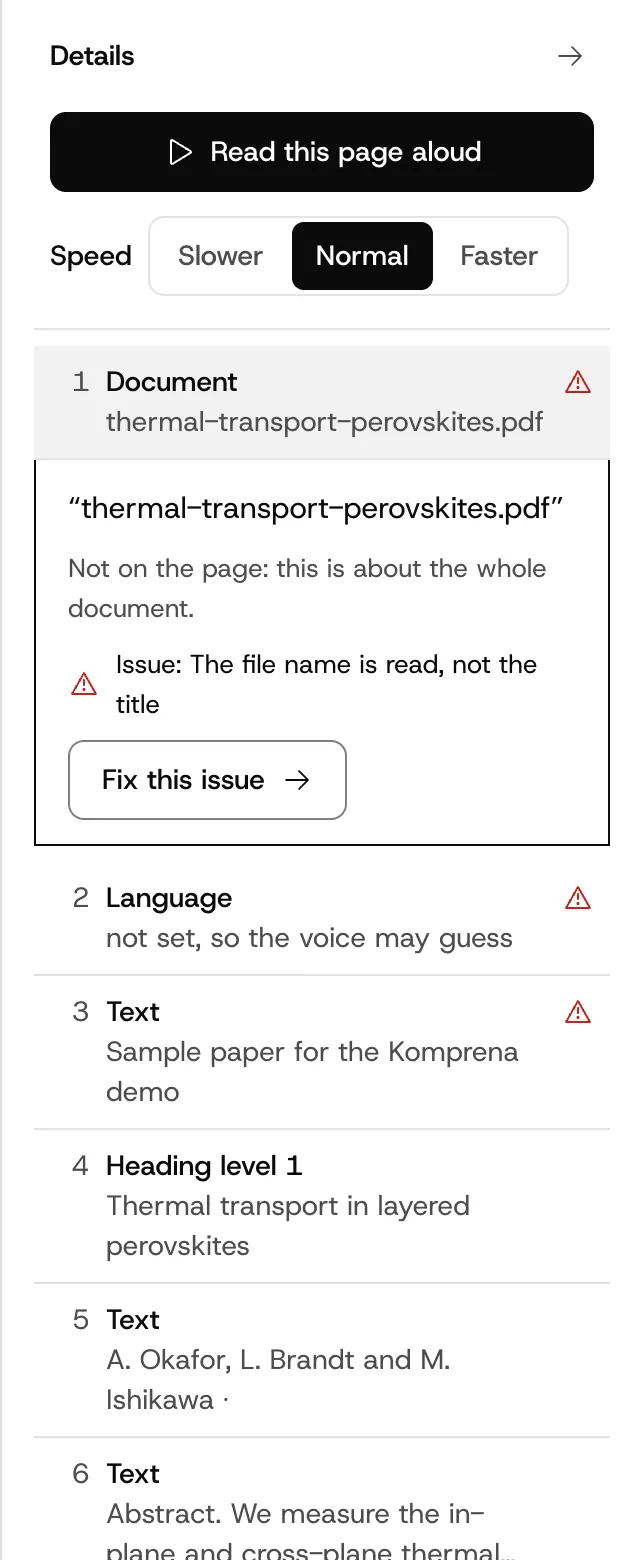
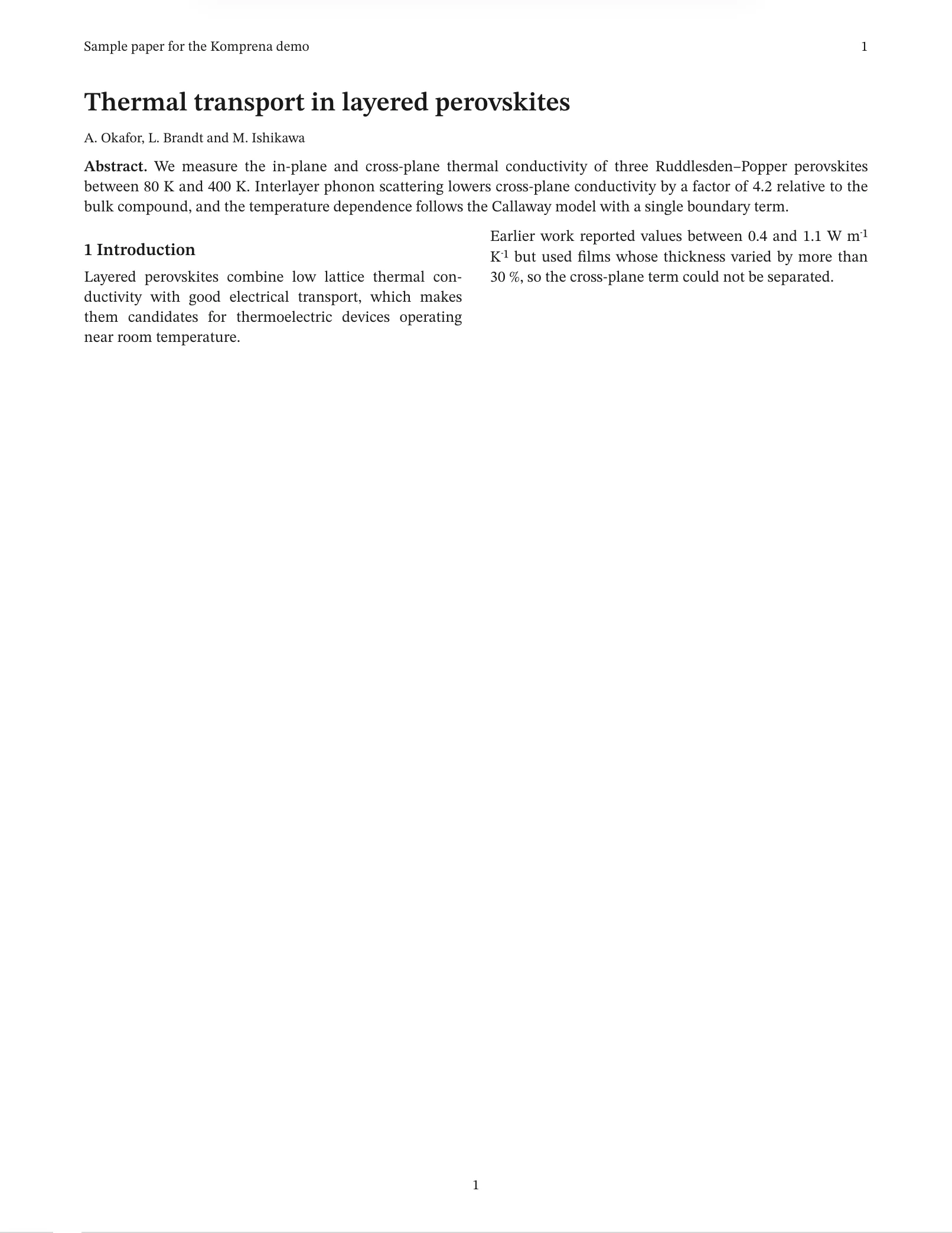
Before.The file has no title, so the window and the screen reader get its file name instead.
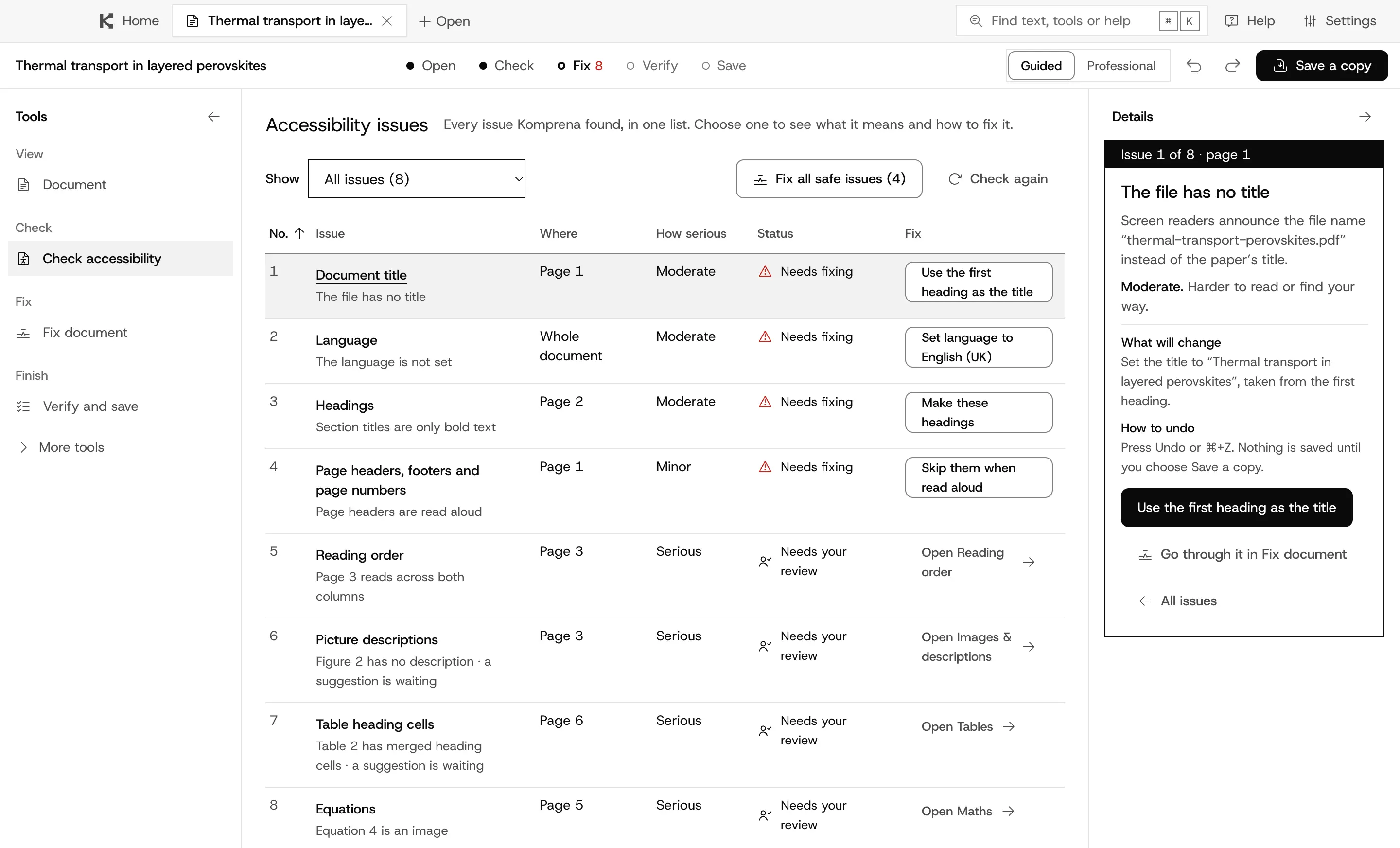
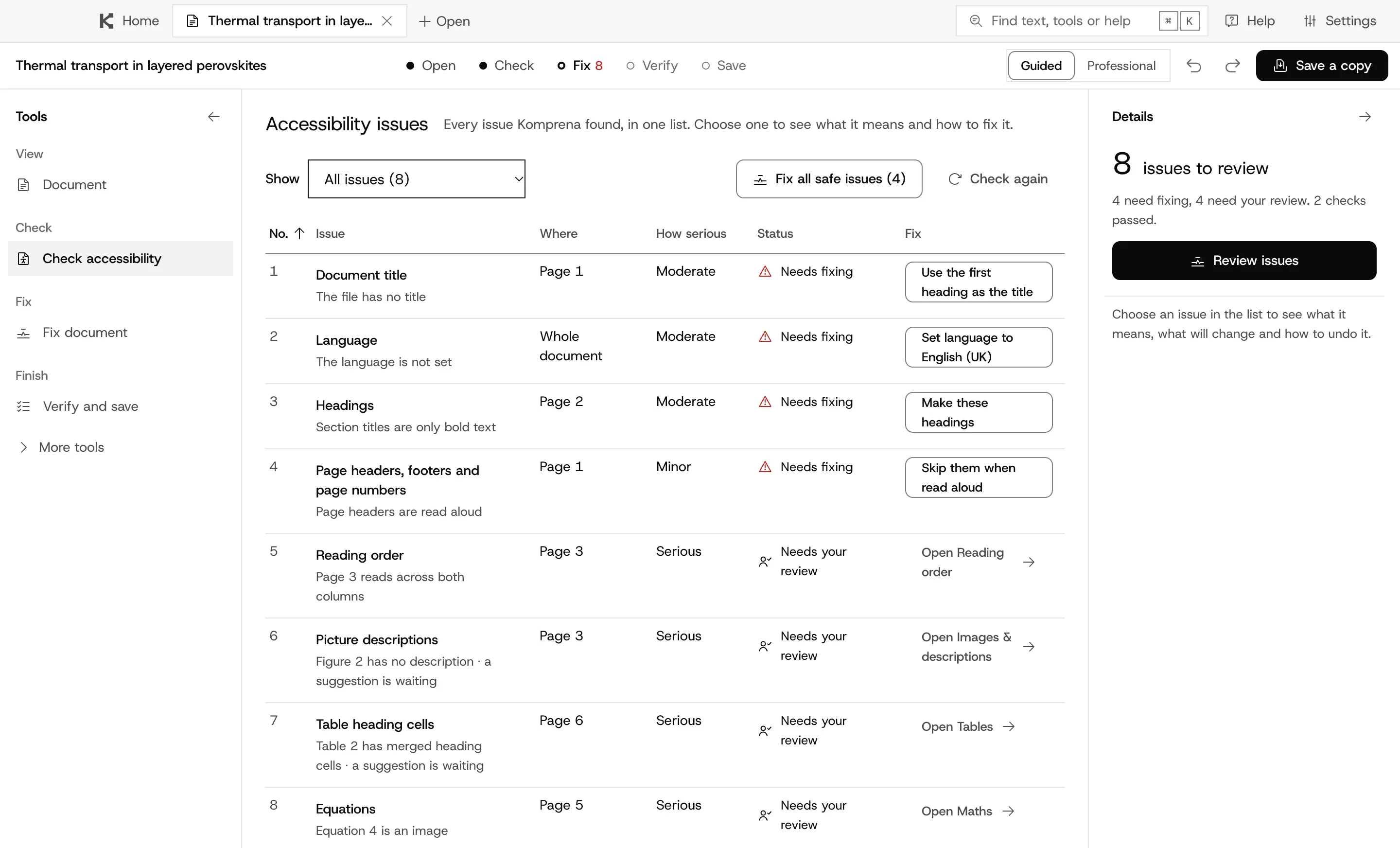
Check.Eight problems, each with its page, how serious it is, and a fix.
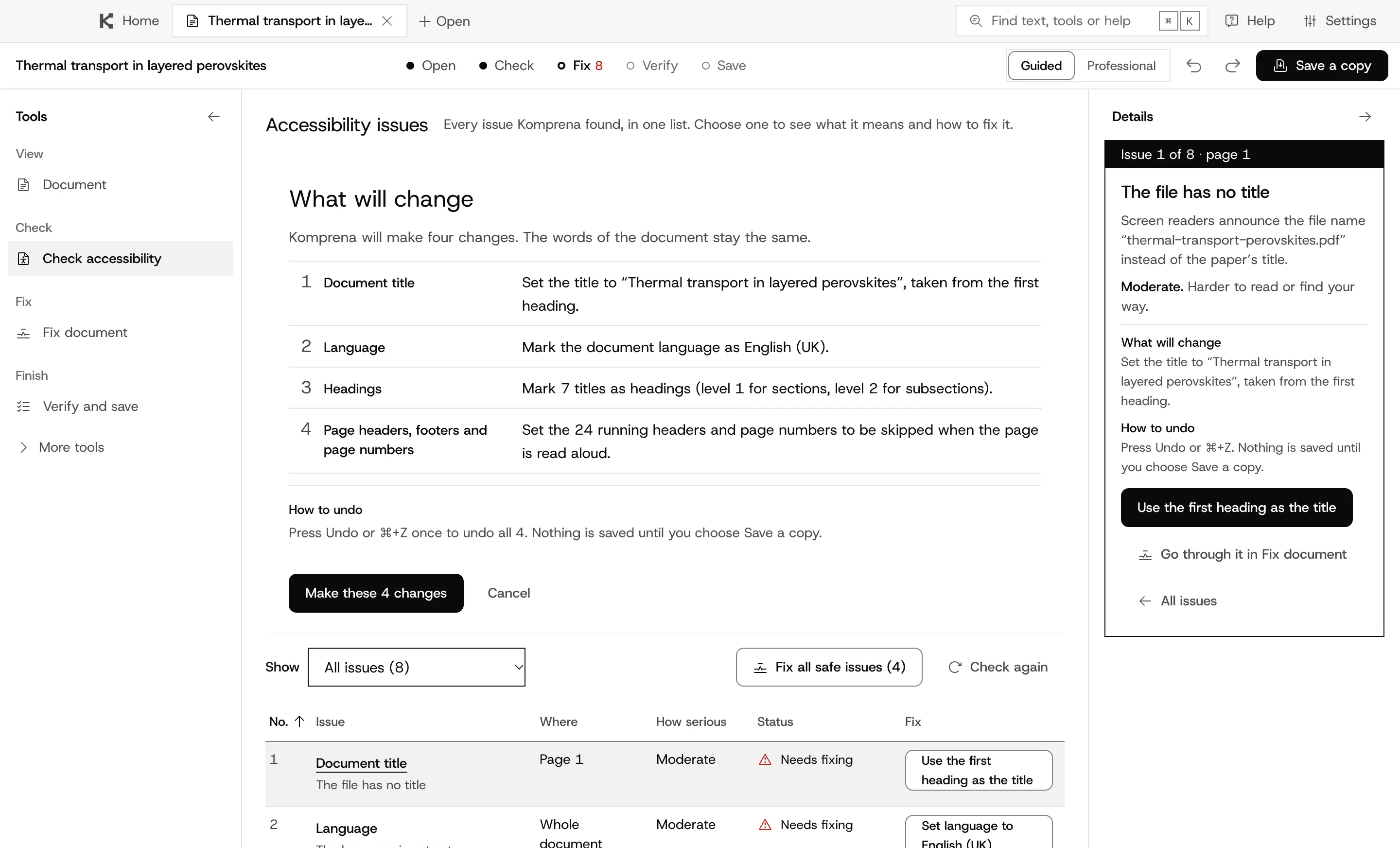
Fix.Four safe fixes, shown before they are made, done in one press. Undo is one press too.
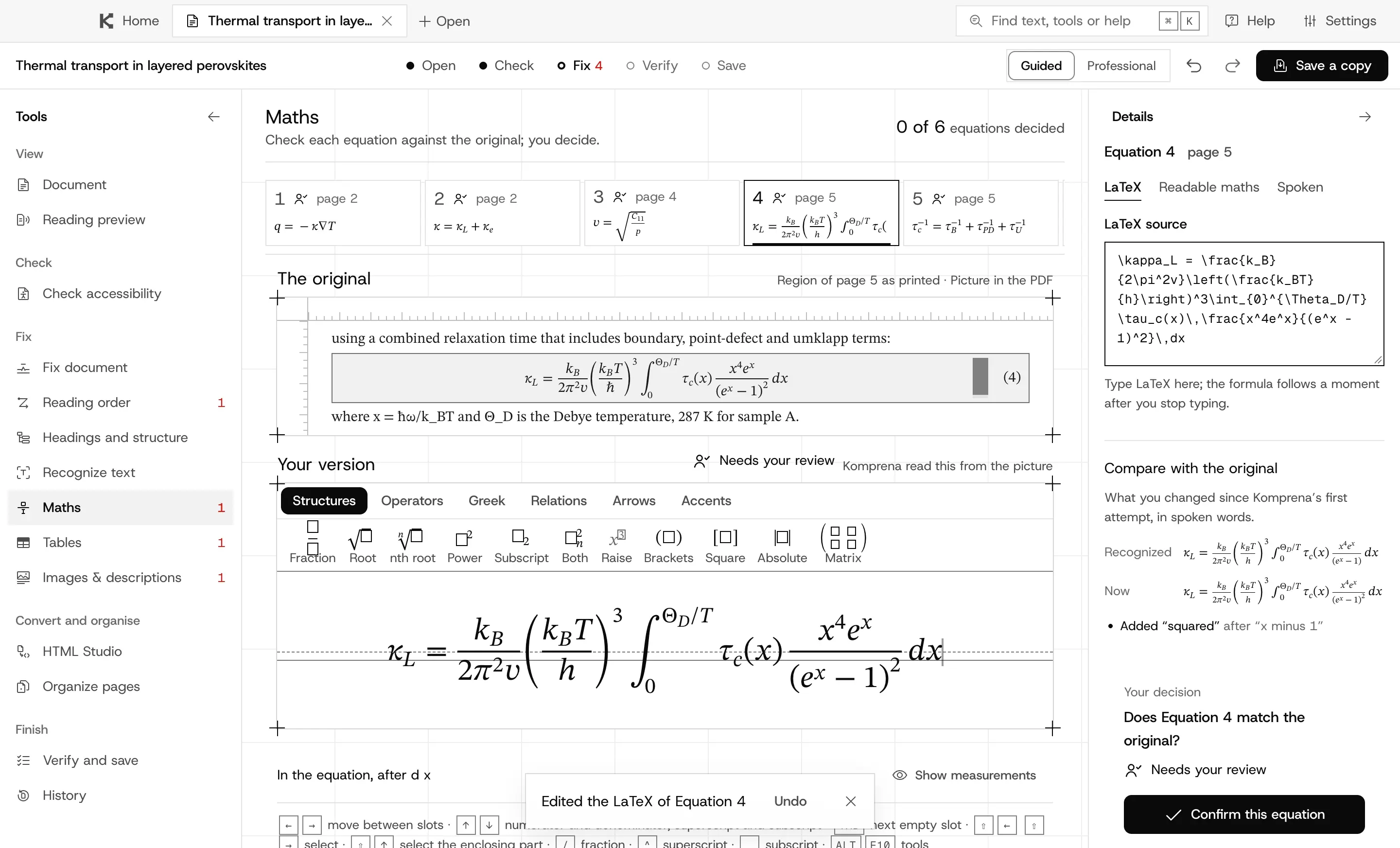
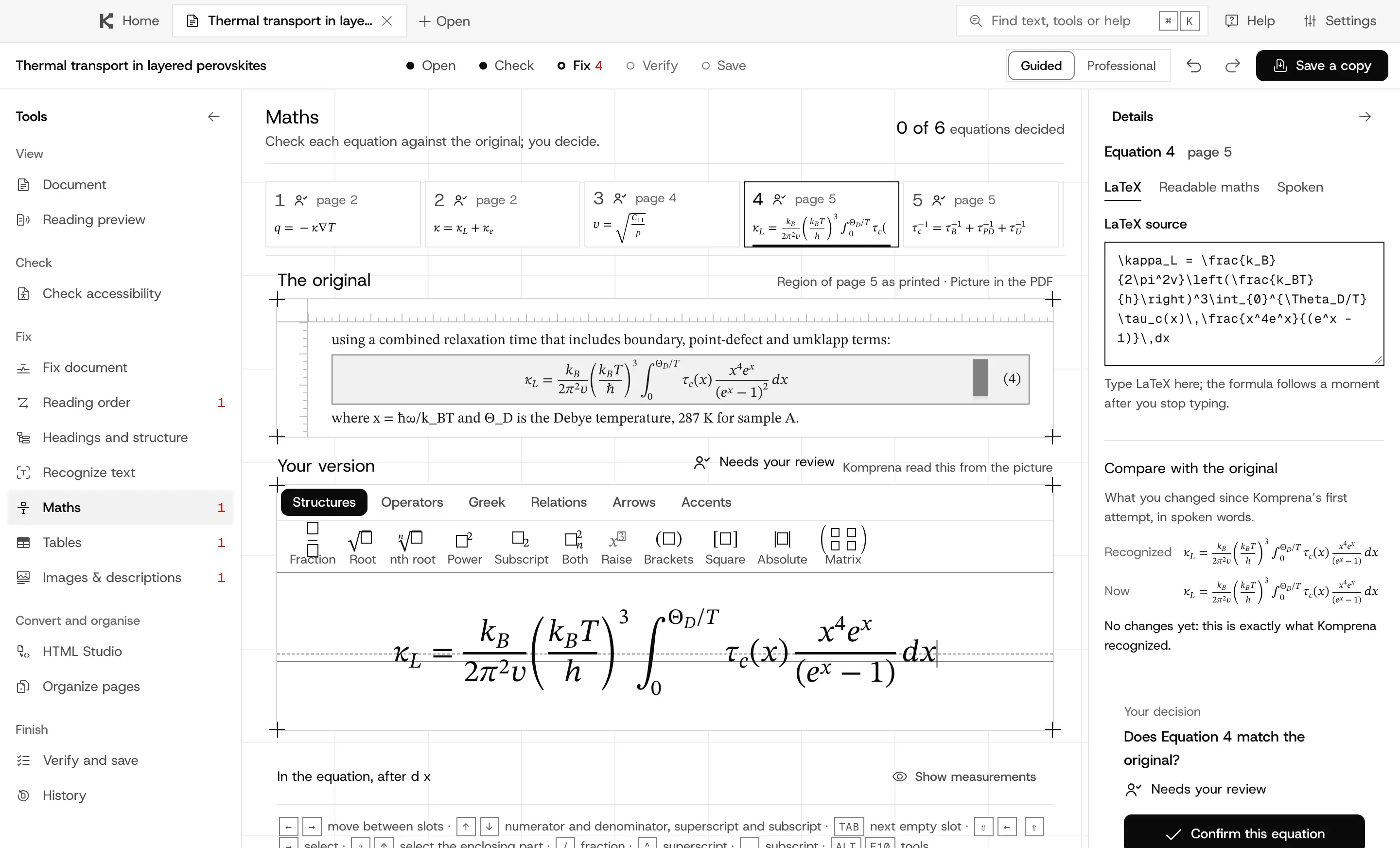
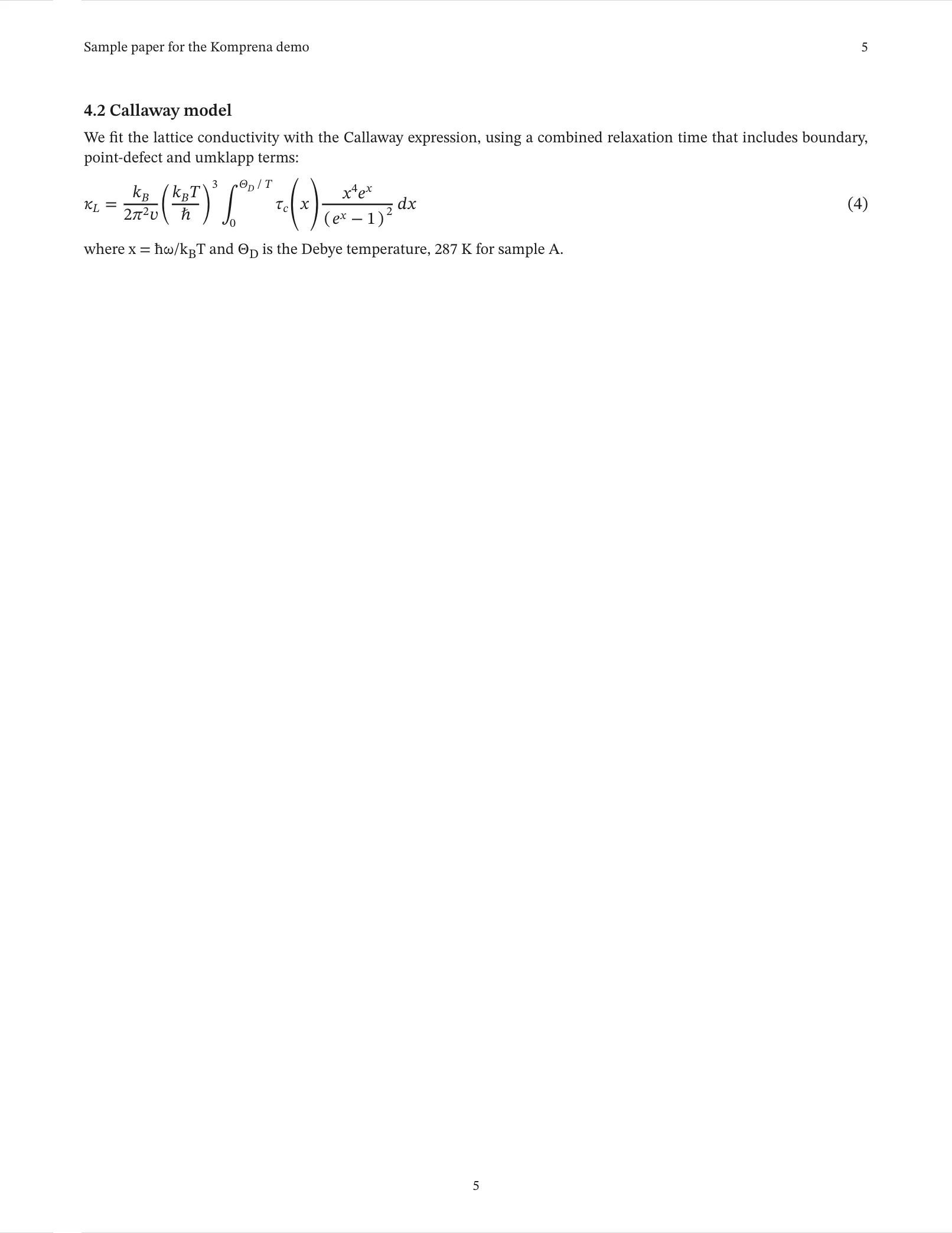
Maths.Equation 4 was a picture, and the reading lost a square. You see it beside the original and put it back.
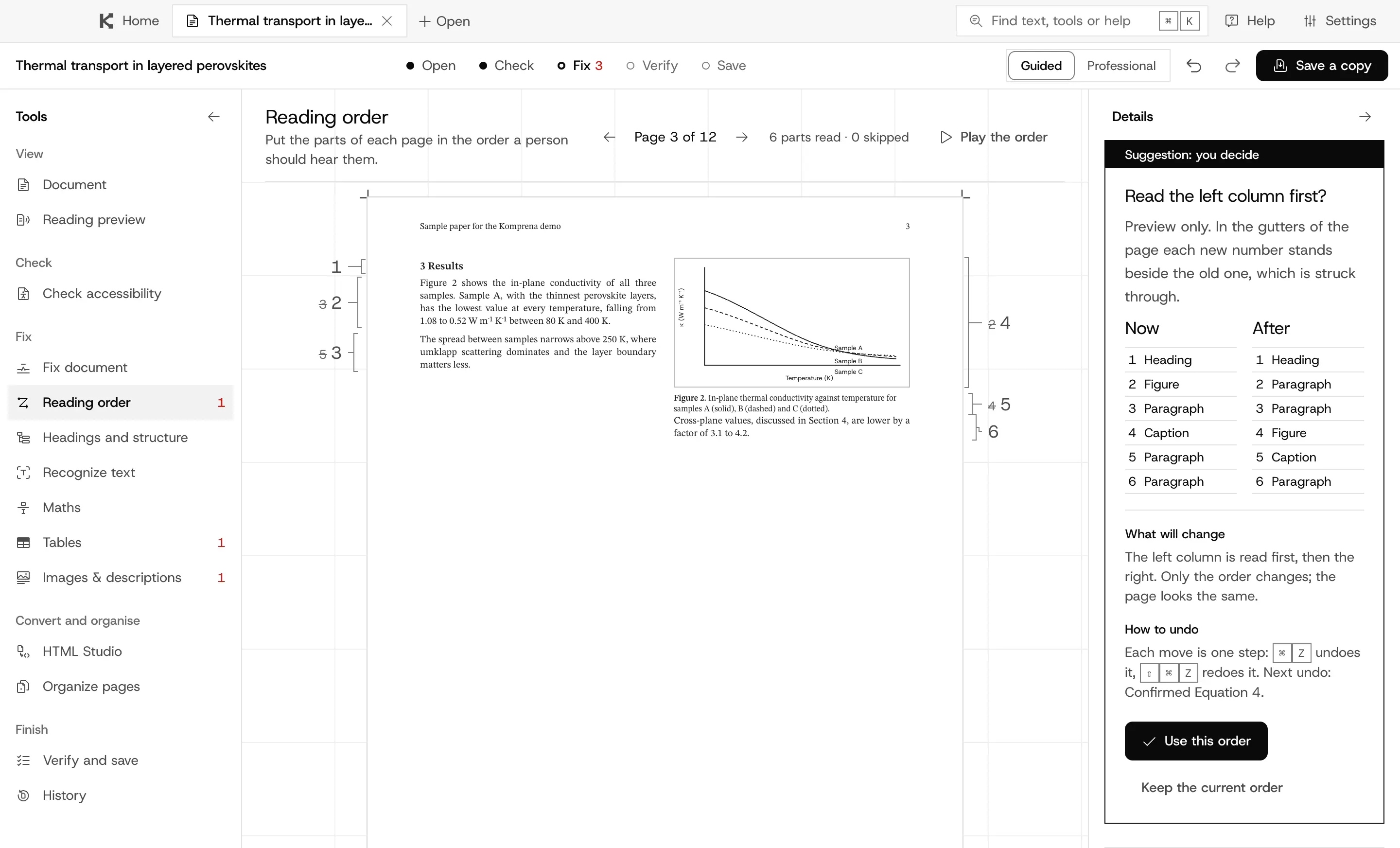
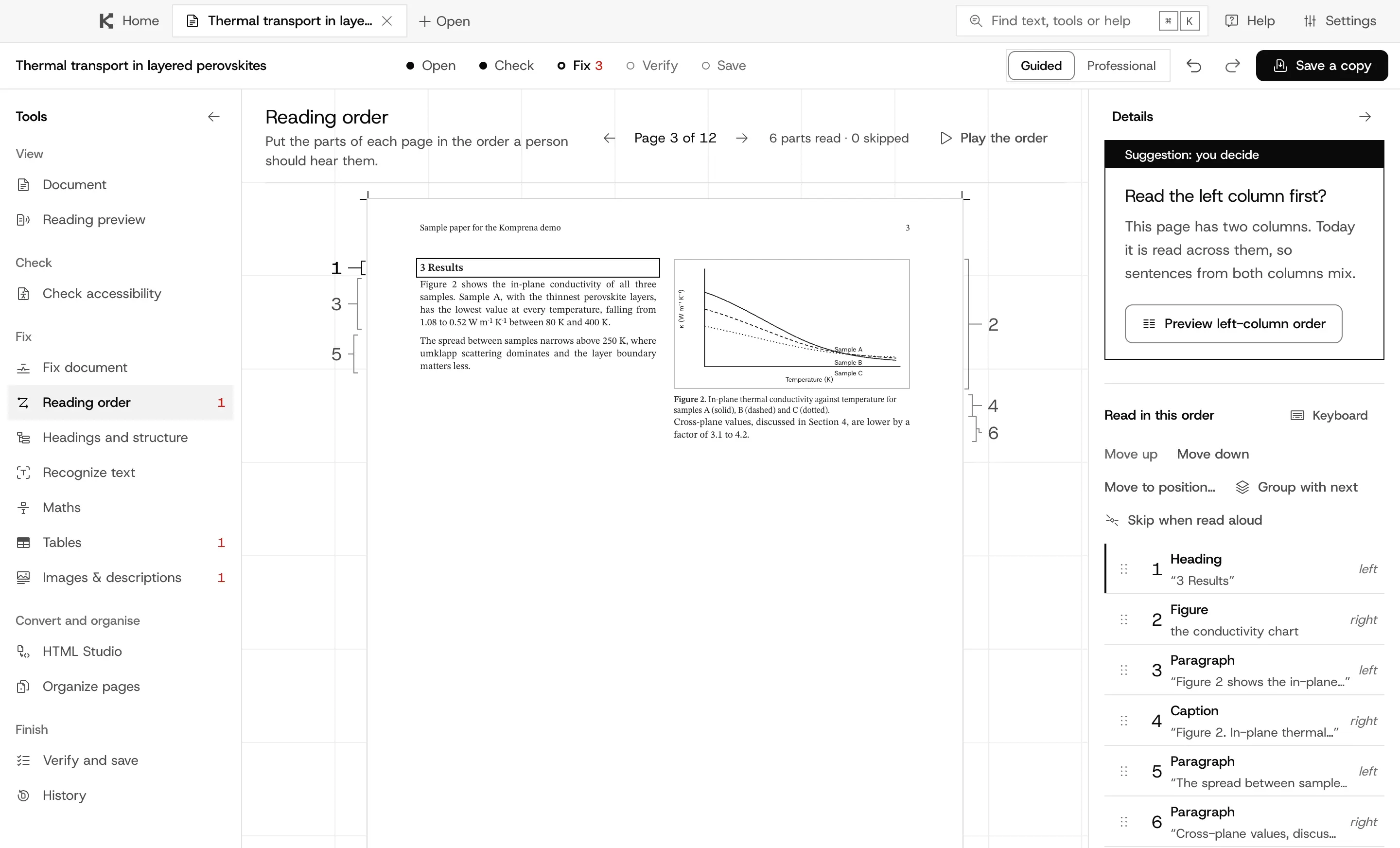
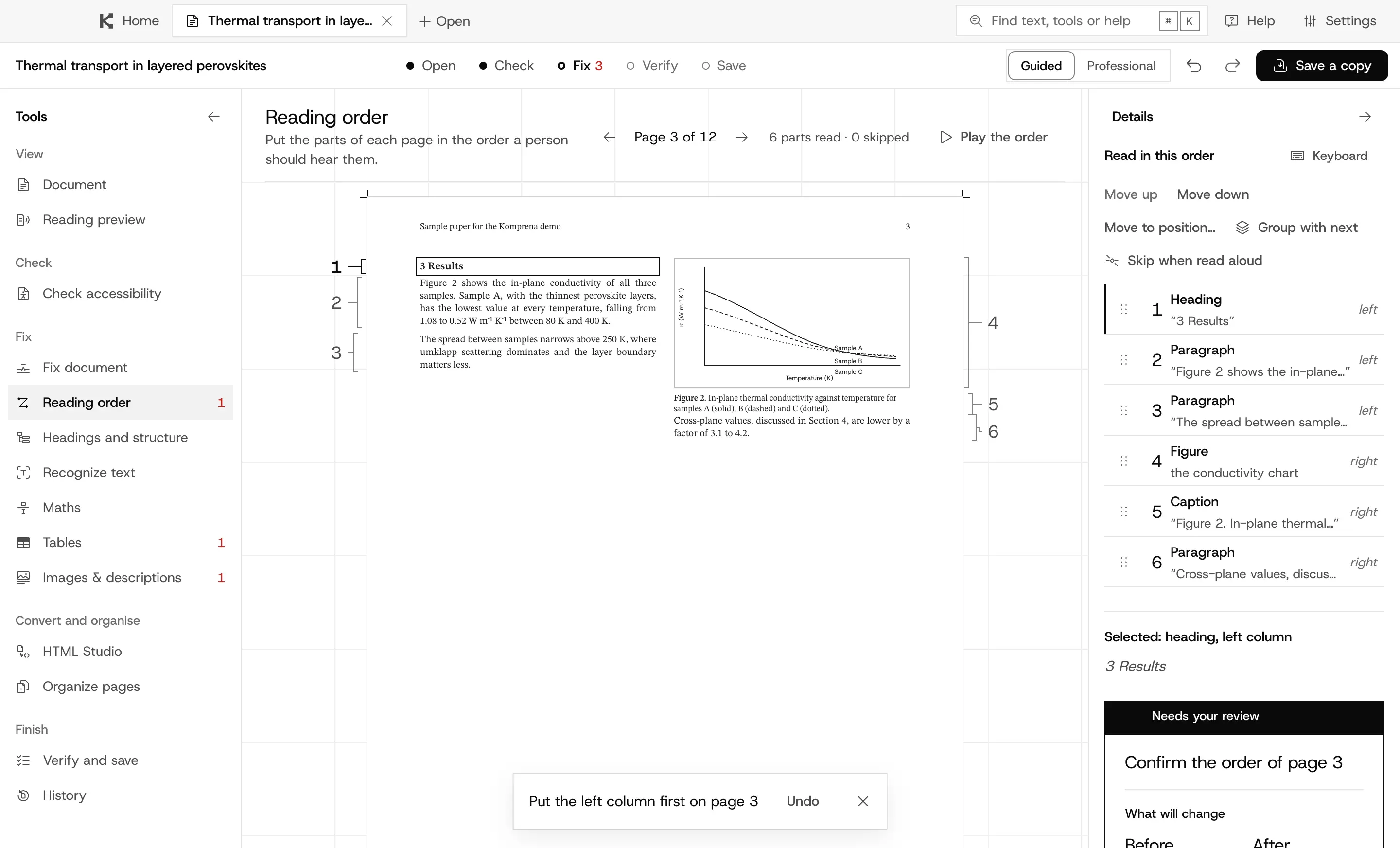
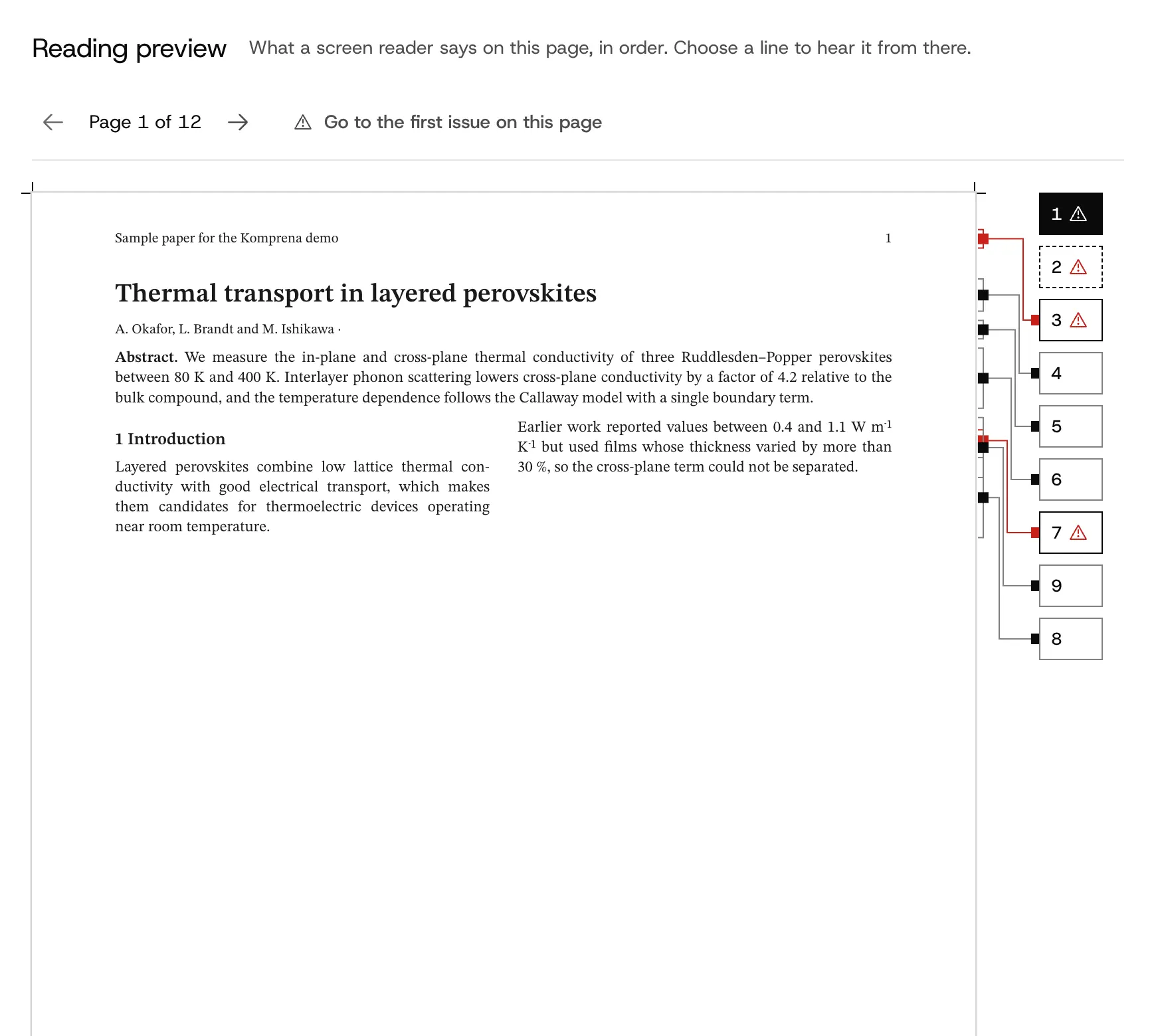
Reading order.Two columns were read across each other. Preview the left column first, then keep it.
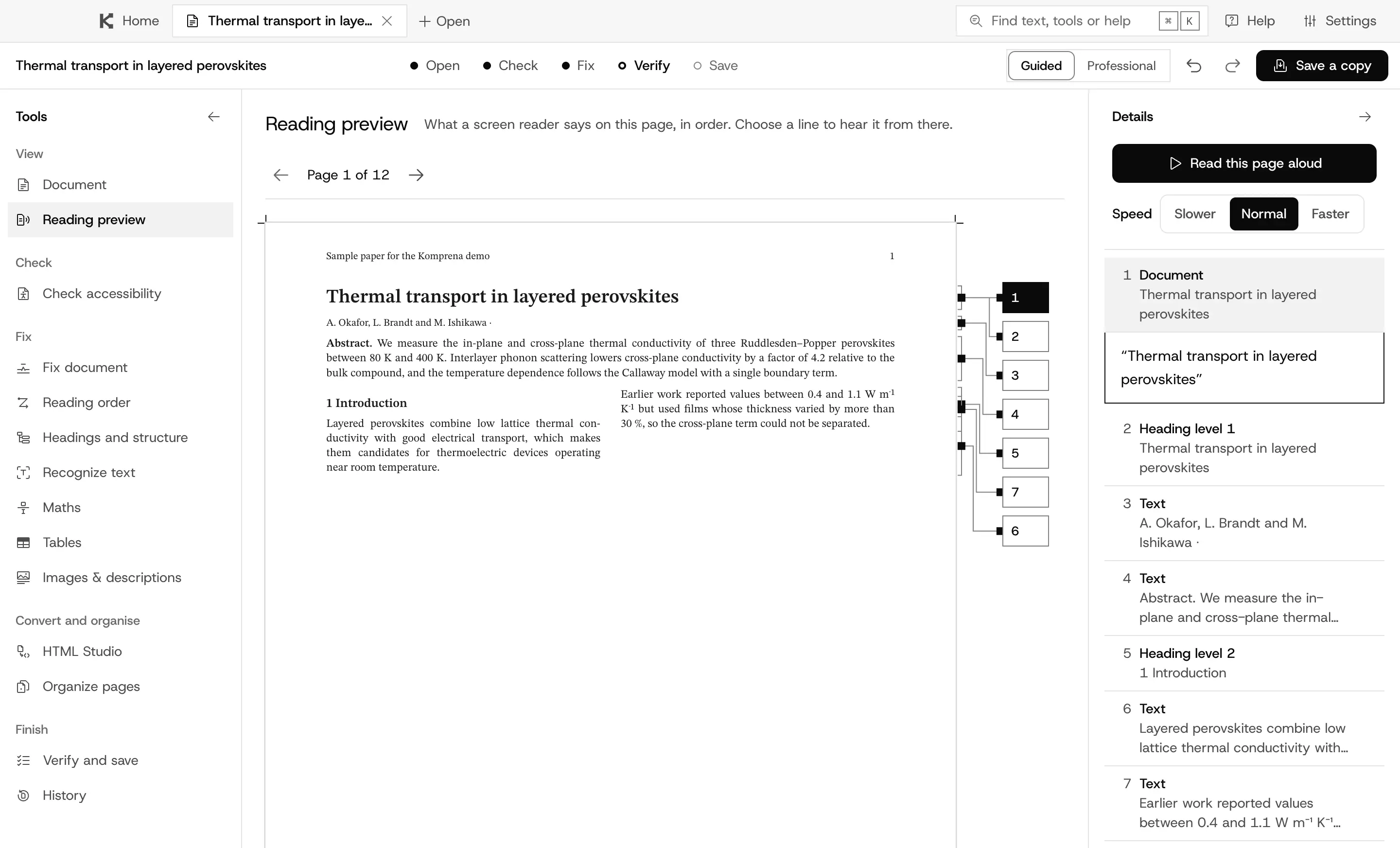
After.The title, taken from the first heading, now names the document.
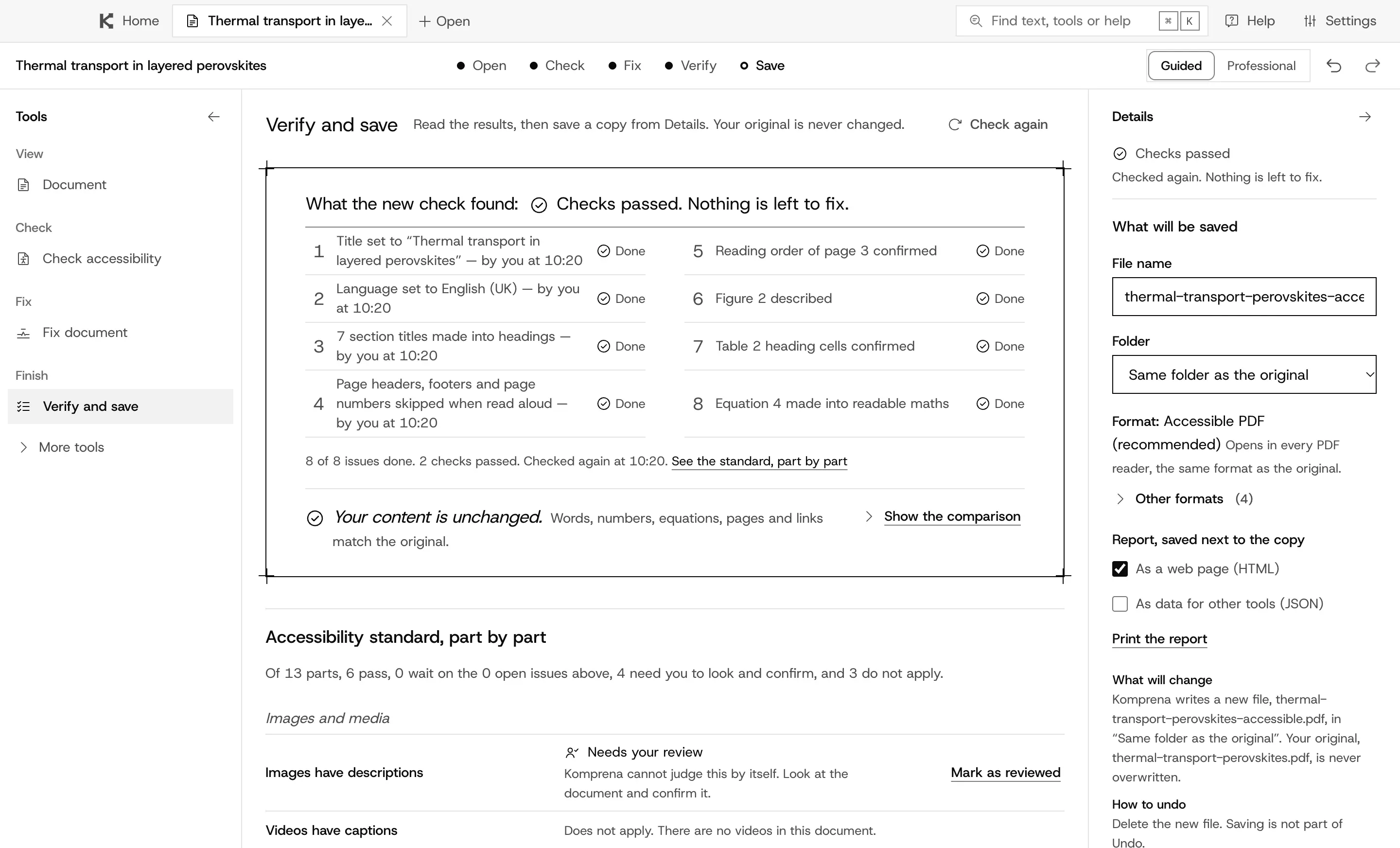
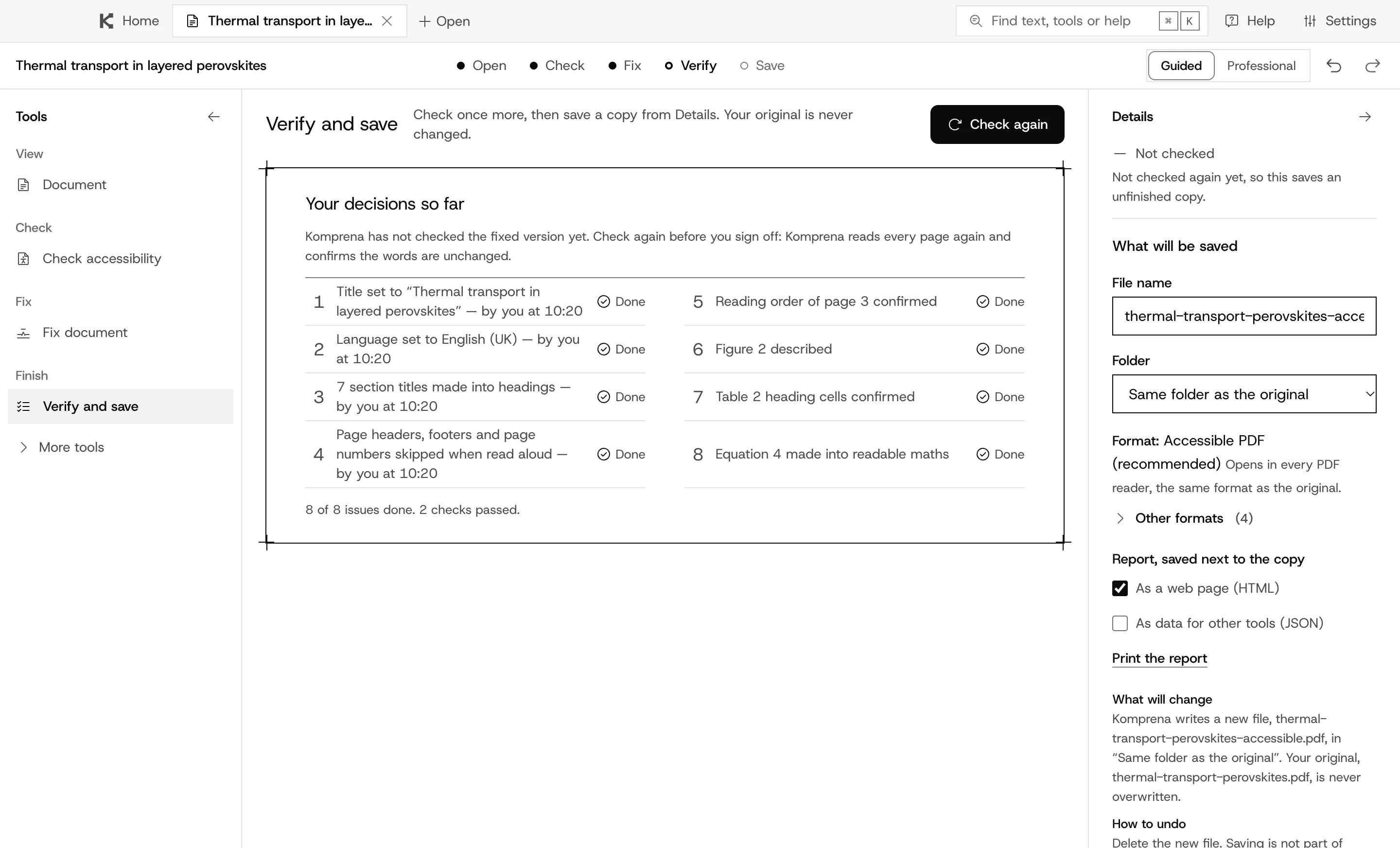
Save a copy.Checked again: nothing left to fix, and every word unchanged. By default your original stays as it was.
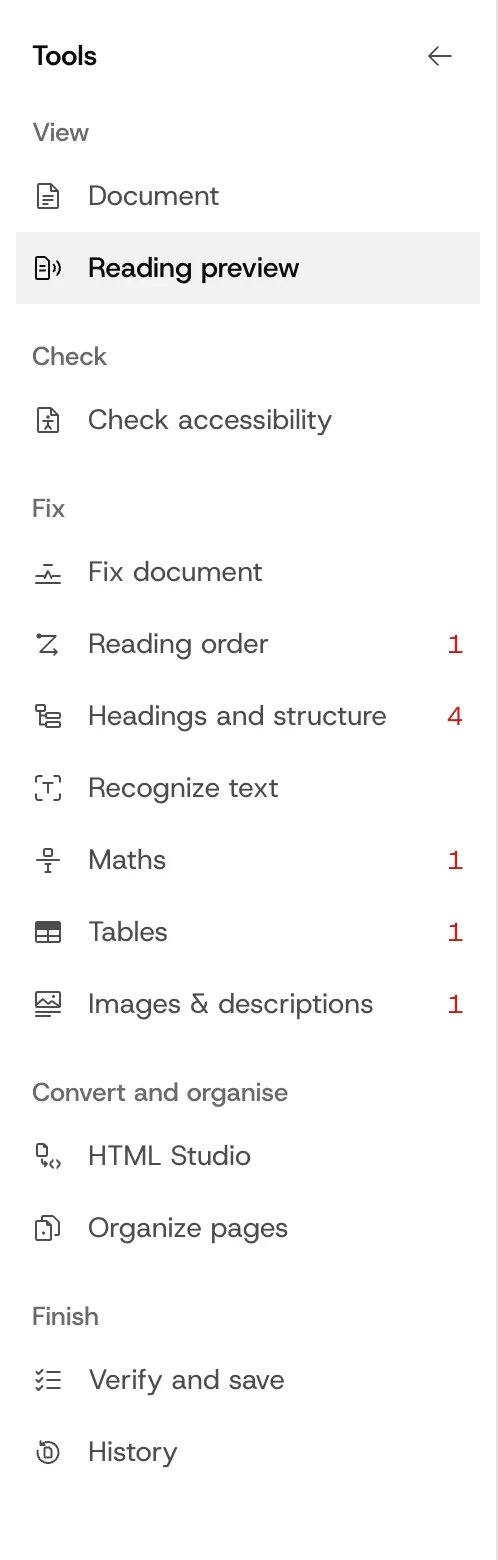
- Komprena, taken apart. Every tool on the left, the page in the middle, what a screen reader hears on the right.
- Before. The file has no title, so the window and the screen reader get its file name instead.
- Check. Eight problems, each with its page, how serious it is, and a fix.
- Fix. Four safe fixes, shown before they are made, done in one press. Undo is one press too.
- Maths. Equation 4 was a picture, and the reading lost a square. You see it beside the original and put it back.
- Reading order. Two columns were read across each other. Preview the left column first, then keep it.
- After. The title, taken from the first heading, now names the document.
- Save a copy. Checked again: nothing left to fix, and every word unchanged. By default your original stays as it was.

The fixed copy, layer by layer.
Same words.
Every word, number and equation stays as printed, and Komprena checks that again after each fix.
Tags.
Headings and paragraphs marked, running heads set aside. Checked against PDF/UA-1 and WCAG 2.2 AA.
Reading order.
Left column, then right. The page header and page numbers are skipped when read aloud.
Title and language.
The window shows the paper’s title, not its file name. The language is set, so English is read as English.
Headings.
The title is exposed to screen readers as a level-1 heading, and “1 Introduction” as level 2.
Maths.
Equation 4 on page 5, kept as LaTeX, and as MathML in the accessible web version.
The original.
By default the fixes go into a new copy. If you choose to save over the original, its earlier version is kept.
A whole folder.
PDFs, Word files and slides, checked in one pass. Here, five sample files and what the check found in each.
What needs a person.
No check can prove that alt text is accurate, or that the order is what the author meant. Komprena marks those for a person.
Get Komprena.
Private alpha 0.1.0. Each download asks for the testers’ password.
- macOS.Komprena_0.1.0_aarch64.dmg
macOS 13 or later on Apple silicon. First open: System Settings, Privacy & Security, Open Anyway.
- Windows.Not built yet
- Linux.Not built yet
- Download and installOpen the file and move Komprena to Applications.
- Open a documentA PDF, Word file, slide deck or web page, or a whole folder of them.
- Fix and save a copyBy default the fixes go into a copy, with a report, and the original stays as it was.